Best Phones for Mobile Banking Security and Online Privacy in 2026
Your phone knows everything about you. Your bank balance, your passwords, your private messages, your location—it’s all sitting in your pocket. So when I get asked which devices are the best phones for mobile banking security and online privacy, I take the question seriously, because the wrong choice can cost you real money and genuine peace of mind.
Whether you’re checking your account balance on a busy train, transferring money to family overseas, or managing a small business from your handset, security isn’t optional anymore. Hackers, phishing scams, and data breaches have become depressingly common, affecting people from London to Lagos, Sydney to São Paulo.
In this guide, I’ll walk you through the smartphones that actually protect your financial data and personal information. We’ll look at hardware security chips, software protection, biometric authentication, and the practical features that matter when you’re banking on the go. I’ll also share honest advice on what to look for, what to avoid, and how to stay safe regardless of your budget.
Let’s get into it.
Quick Verdict / Summary
For those who want a fast answer, here’s the short version.
Top picks for mobile banking security and privacy:
- iPhone 16 Pro / 15 Pro: Best overall for privacy-focused users who want simplicity and strong on-device security
- Google Pixel 9 Pro / 8 Pro: Best for Android users wanting fast security updates and clean software
- Samsung Galaxy S24 / S24 Ultra: Best for business users needing Samsung Knox enterprise-grade protection
- iPhone SE / Google Pixel 8a: Best budget-friendly options with strong security at lower prices
Best for:
- Anyone who regularly uses mobile banking apps
- Business owners handling sensitive financial transactions
- Privacy-conscious users who value data protection
- People who shop online and store payment information
- Remote workers accessing company financial systems
Not best for:
- Users who only need basic calling and texting (any modern phone works)
- People are unwilling to update software regularly (security requires updates)
- Those who jailbreak or root their devices (this breaks security protections)
Why This Topic Matters Right Now
Mobile banking has exploded globally. In just a few years, banking apps have replaced physical branches for millions of people, especially in regions where traditional banking infrastructure is limited.
The rising threat landscape
Cybercrime targeting mobile devices has grown dramatically. When I look at the news, I see reports of banking malware, SIM-swap fraud, and phishing attacks almost weekly. Criminals know our phones hold the keys to our financial lives, and they’re getting more sophisticated.
What used to require physical theft now happens remotely. A single tap on a malicious link, a compromised app download, or an unsecured Wi-Fi connection can expose your banking credentials in seconds.
Why your choice of phone matters
Not all smartphones offer equal protection. The difference comes down to several factors:
- Hardware security chips that isolate sensitive data
- Software update frequency that patches vulnerabilities quickly
- Biometric authentication quality and reliability
- App store security that prevents malicious downloads
- Privacy controls that limit data collection
Different priorities for different people
A business owner in Toronto might prioritise enterprise-grade security features and seamless integration with banking apps. Meanwhile, someone in Manila sending remittances to family might care most about secure transactions over varying network conditions and protection against SIM-swap fraud.
Budget matters too. While flagship phones offer the most advanced security, several affordable options provide solid protection without breaking the bank. The good news? Even modestly priced smartphones from reputable manufacturers now include meaningful security features that were once exclusive to premium devices.
Key Security Features to Look For
Before comparing specific phones, let’s understand what actually makes a device secure for banking and privacy.
| Security Feature | What It Does | Why It Matters |
|---|---|---|
| Secure Element/Hardware Chip | Isolates sensitive data (payment info, biometrics) in dedicated hardware | Prevents malware from accessing your most critical data |
| Biometric Authentication | Face ID, fingerprint scanning for app access | Adds layer beyond passwords; harder to fake |
| Regular Security Updates | Patches vulnerabilities as discovered | Outdated phones become easy targets |
| App Store Vetting | Reviews apps before allowing downloads | Reduces risk of malicious banking app clones |
| Encryption | Scrambles data so it’s unreadable if stolen | Protects data even if the device is lost |
| VPN Support | Encrypts the internet connection | Secures banking on public Wi-Fi |
| Privacy Dashboard | Shows which apps access your data | Helps you control information sharing |
| Find My Device | Locates, locks, or wipes lost phones | Protects data if the device is stolen |
| Secure Folder/Vault | Encrypted space for sensitive apps | Isolates banking apps from the rest of the phone |
Best Phones for Mobile Banking Security and Online Privacy
Let me break down the top devices based on their real-world security capabilities.
iPhone 16 Pro / 15 Pro: Best Overall for Privacy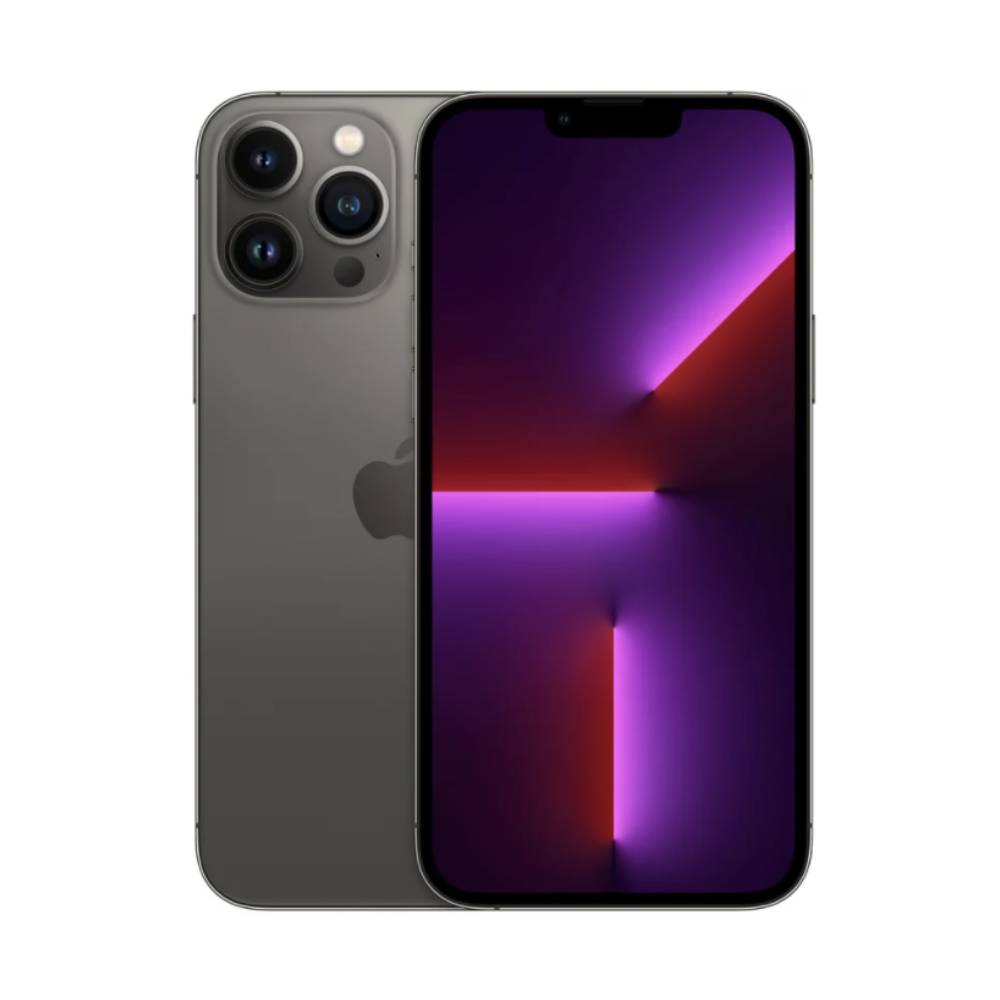
Apple has built its reputation partly on privacy, and it shows. From a buyer’s perspective, iPhones offer some of the most comprehensive security available on smartphones.
What makes iPhones secure:
The Secure Enclave is a dedicated chip that isolates your Face ID data, fingerprint information (on older models), and payment credentials. Even if malware infects your phone, it can’t access this protected area.
In my experience, the App Store’s strict review process catches most malicious apps before they reach users. While no system is perfect, the closed ecosystem provides meaningful protection against banking app clones and malware.
Apple’s approach to privacy includes features like App Tracking Transparency, which forces apps to ask permission before tracking you across other apps and websites. The Privacy Report shows exactly which apps access your location, camera, microphone, and other sensitive data.
For lost or stolen devices, Find My iPhone lets you locate, lock, or remotely wipe your phone. Combined with Activation Lock, this makes stolen iPhones nearly worthless to thieves and protects your banking data.
You can review Apple’s comprehensive security architecture in their official Apple Platform Security documentation, which explains how the Secure Enclave and other protections work.
Considerations:
- Premium pricing puts these out of reach for budget buyers
- The closed ecosystem limits customisation
- Requires an Apple ID, creating ecosystem lock-in
Google Pixel 9 Pro / 8 Pro: Best for Android Security Updates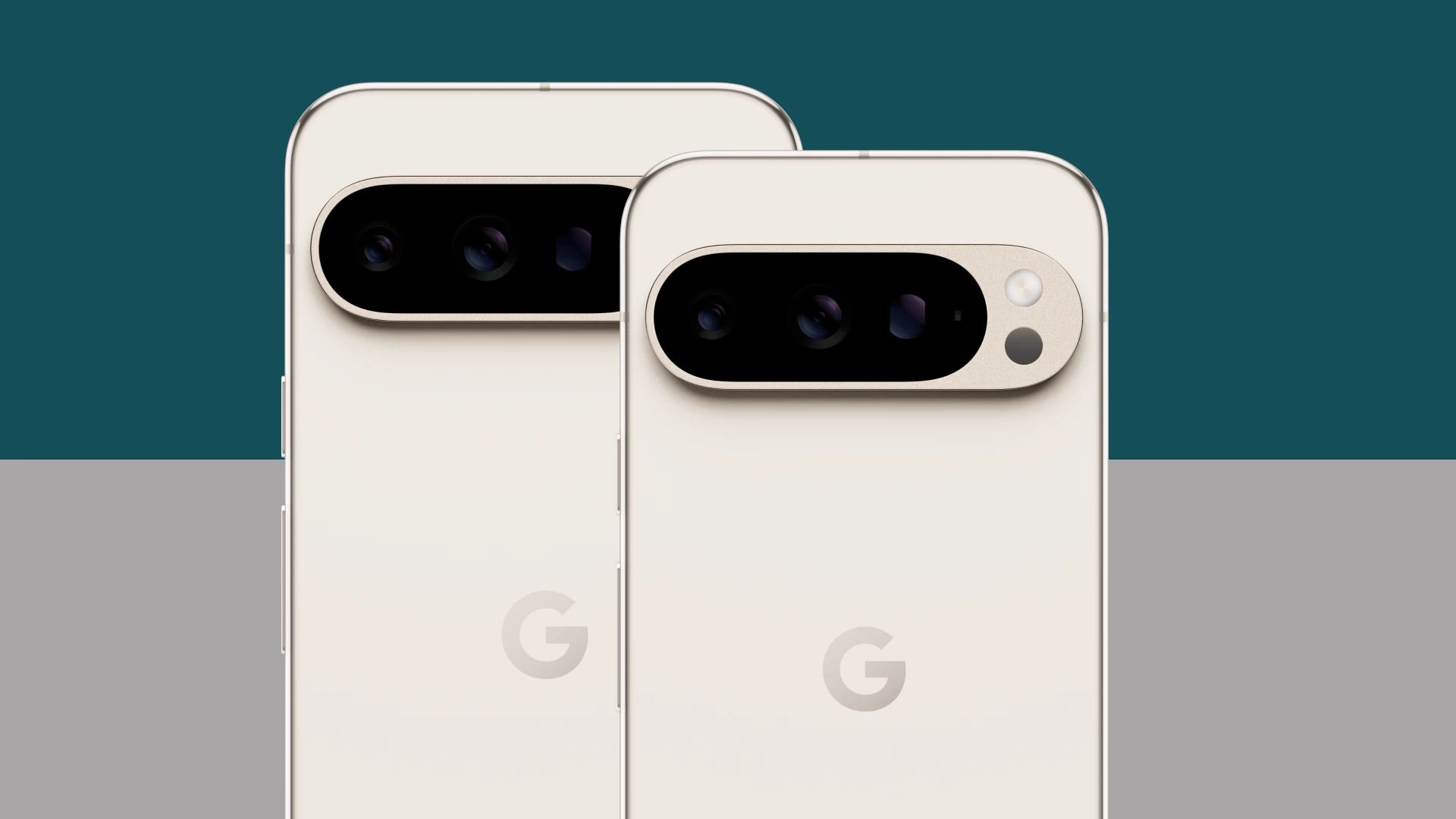
If you prefer Android but want strong security, Google Pixel phones lead the pack. Google controls both the hardware and software, resulting in the cleanest, most secure Android experience.
Security strengths:
Pixel phones receive security updates first and fastest among Android devices. While other manufacturers sometimes delay critical patches for months, Pixels typically get monthly security updates promptly—often the same day Google releases them.
The Titan M2 security chip provides hardware-level protection similar to Apple’s Secure Enclave. It safeguards your PINs, passwords, and biometric data in isolated hardware.
I’ve noticed that Google’s built-in security features are genuinely useful. Google Play Protect continuously scans apps for malicious behaviour, even after installation. The Safe Browsing feature warns you about dangerous websites before you visit them.
For privacy, Pixels offer granular controls. You can grant apps temporary location access, see privacy indicators when your camera or microphone is active, and review detailed permission histories.
Google’s Safety Centre provides excellent guidance on securing your Android device and protecting your accounts.
Considerations:
- Limited availability in some markets
- Camera-focused marketing sometimes overshadows security features
- Smaller app ecosystem optimisation compared to the iPhone
Samsung Galaxy S24 Ultra / S24: Best for Business Security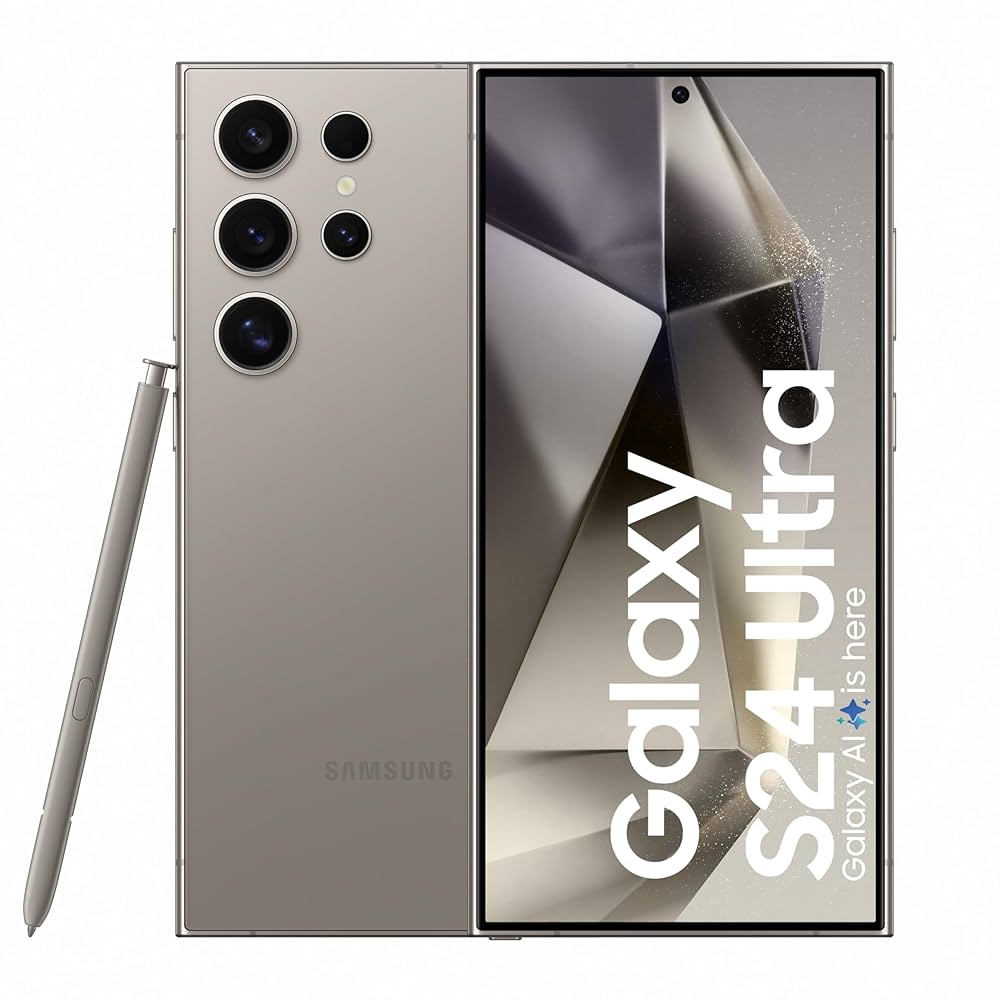
Samsung’s flagship phones include Knox, an enterprise-grade security platform that many businesses trust for protecting sensitive data.
Why Samsung Knox stands out:
Knox provides multi-layered security from the hardware up. It includes a Secure Folder—an encrypted space where you can store banking apps, sensitive documents, and private photos completely isolated from the rest of your phone.
During everyday use, I found the Secure Folder genuinely practical. You can keep your banking apps locked behind separate authentication, adding an extra barrier even if someone unlocks your main phone.
Samsung’s biometric options include both ultrasonic fingerprint scanning and facial recognition. The ultrasonic fingerprint sensor works even with wet or slightly dirty fingers, which proves useful in real-world conditions.
For business users, Knox integrates with enterprise mobility management systems, allowing IT departments to enforce security policies. This makes Samsung phones popular choices for business smartphones in corporate environments.
You can explore Knox features through the official Samsung Knox security page, which details the platform’s protection layers.
Considerations:
- One UI software adds complexity that some users find overwhelming
- Security update timing varies by region and carrier
- Premium models carry high prices
Budget Options: iPhone SE and Google Pixel 8a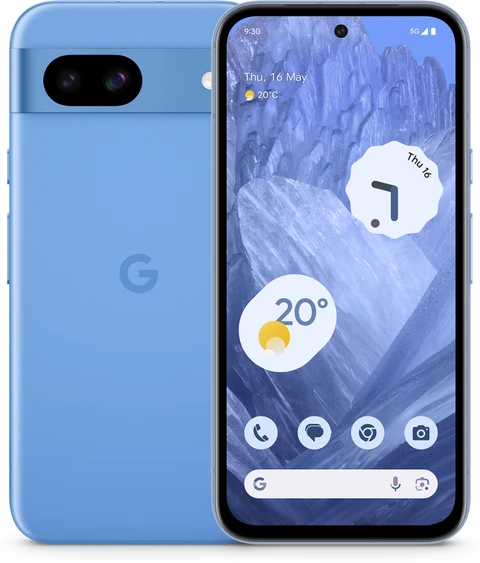
Security shouldn’t require flagship spending. Two excellent budget options provide strong protection at lower prices.
iPhone SE: Despite its older design, the iPhone SE includes the same Secure Enclave and receives the same iOS security updates as premium iPhones. For privacy-conscious buyers on tighter budgets, it delivers Apple’s security at a fraction of the flagship cost.
Google Pixel 8a: This mid-range Pixel includes the Titan M2 security chip and receives the same prompt security updates as the Pro models. It’s arguably the best value for security-focused Android users who don’t need premium camera systems or displays.
Design, Build Quality, and Everyday Use
Security features mean nothing if you can’t use them comfortably every day.
Biometric authentication in practice
When I tested daily banking on various phones, biometric reliability made a huge difference. Apple’s Face ID works seamlessly in most lighting conditions, though it struggles in direct sunlight or when you’re wearing certain face coverings.
Fingerprint sensors vary in quality. Samsung’s ultrasonic sensor and Google’s optical sensors both work well, but I noticed registration quality matters—taking time to register your fingerprint thoroughly improves recognition rates.
In everyday use, the biggest advantage of quality biometrics is the convenience that doesn’t sacrifice security. You can authenticate banking transactions quickly without typing passwords that might be observed by people nearby.
Build quality and durability.
For phones holding your financial life, durability matters. Premium devices typically offer IP68 water and dust resistance, meaning accidental spills or rain won’t destroy your device and expose your data.
Gorilla Glass and ceramic protection reduce screen damage that might require repairs—repairs that sometimes involve handing your device (and its data) to technicians. Choosing durable phones reduces these privacy-risking situations.
Display, Interface, and User Experience
The screen and software interface affect how securely you can bank.
Privacy screens and visual security
Banking in public exposes your screen to prying eyes. Some phones offer privacy screen modes, while third-party privacy screen protectors limit viewing angles so only you can see your display clearly.
High-quality OLED and AMOLED displays found on flagship phones provide excellent visibility, but consider that brighter screens are easier for others to see over your shoulder. When entering passwords or viewing balances in public, being mindful of your surroundings matters as much as your phone’s features.
Software security interfaces
Clean, intuitive security interfaces encourage actual use. I’ve found that phones with clear privacy dashboards and simple security settings get used more often than those burying these features in complex menus.
Apple’s Settings app organises privacy controls logically. Google’s Pixel interface similarly makes security settings accessible. Samsung’s One UI includes comprehensive options, though the sheer number of settings can overwhelm newcomers.
Performance and Real-World Usage
Smooth performance matters for security in ways people don’t always consider.
Why does processing power affect security?
Modern security features—encryption, biometric processing, malware scanning—require computational power. Flagship mobile processors handle these tasks instantly, while underpowered budget phones might lag, tempting users to disable security features for better performance.
When I tested daily app switching between banking apps, email, and messaging on flagship phones, everything remained smooth. Security scanning happened invisibly in the background without slowing me down.
For example, if you use your phone for mobile banking, video calls, and social media throughout the day, you need a device that handles encryption and security processes without frustrating delays. This usually means choosing phones with capable processors rather than the cheapest available options.
Multitasking and security
Strong performance enables better security practices. You can run a VPN, keep antivirus active, and use password managers simultaneously without performance penalties on capable phones. Budget devices sometimes force compromises that weaken your overall security posture.
Battery Life, Charging, and Long-Term Reliability
Security features consume power, making battery life relevant to staying protected.
Why battery life matters for security
A dead phone can’t run security features. When your battery dies, you might be tempted to skip VPN usage or delay security updates to conserve power. Phones with long battery life let you maintain security throughout the day without compromise.
In real-world use, flagship phones typically last a full day, even with security features active. Budget phones vary more, sometimes requiring midday charging that interrupts your productivity.
Charging considerations for travellers
For people who travel or work remotely, charger availability affects security. Fast charging lets you quickly top up during brief stops, ensuring your security features stay active. Carrying quality power banks provides backup power that keeps your protected device running when outlets aren’t available.
Long-term reliability and updates
Here’s something crucial many buyers overlook: security depends on ongoing software updates. A phone that stops receiving updates becomes increasingly vulnerable over time.
Apple typically supports iPhones with security updates for five to seven years. Google now promises seven years of updates for newer Pixels. Samsung offers similar long-term support for flagship models. Budget and older phones often receive fewer years of updates, eventually becoming security risks.
When considering long-term value, factor in update support. A slightly more expensive phone with a longer update commitment might provide better security value than a cheaper device abandoned after two years.
Security, Privacy, and Data Protection
This is the heart of the matter. Let’s discuss comprehensive protection strategies.
Essential security practices for everyone
Regardless of which phone you choose, these practices dramatically improve your mobile banking security:
Use strong, unique passwords: Never reuse passwords across accounts. Password manager apps like 1Password, Bitwarden, or Dashlane generate and store complex passwords securely, syncing across your devices.
Enable two-factor authentication: Add 2FA to your banking apps and email. Authentication apps like Google Authenticator or Authy provide better security than SMS codes, which are vulnerable to SIM-swap attacks.
Use VPN apps on public Wi-Fi: When banking outside your home network, VPN apps for smartphones encrypt your connection, preventing data interception. Reputable providers include NordVPN, ExpressVPN, and Proton VPN.
Keep software updated: Install security updates promptly. These patches fix vulnerabilities that criminals exploit.
Download apps only from official stores: Avoid sideloading banking apps from third-party sources. Official app stores vet applications, reducing malware risk.
Platform-specific security
For iPhone users: Enable Find My iPhone immediately. Use a strong Apple ID password with two-factor authentication—your Apple ID protects access to your entire digital life. Consider an iPhone protection plan if you’re prone to dropping devices, as quick repairs reduce the time your data sits in repair shops. iCloud’s encryption protects your backups, though enabling Advanced Data Protection adds end-to-end encryption for maximum security.
For Android users: Activate Find My Device for lost phone protection. While Android’s open nature offers flexibility, it requires more vigilance. Consider a reputable antivirus for Android if you install apps from various sources, though Google Play Protect provides baseline protection. Avoid rooting your device, as this disables critical security features.
Protecting against common threats
SIM-swap fraud: Criminals trick carriers into transferring your number to their SIM, intercepting your verification codes. Protect yourself by setting up a PIN with your carrier and using authentication apps instead of SMS for 2FA.
Phishing attacks: Be sceptical of links in emails and texts claiming to be from your bank. Banks never ask for passwords via email. When in doubt, contact your bank directly using official numbers.
Public Wi-Fi risks: Unsecured networks let attackers intercept your data. Always use VPN protection when banking on public Wi-Fi, or use your mobile data connection instead.
For a broader understanding of online privacy and security concepts, the Cloudflare Learning Centre offers accessible educational resources explaining how encryption and VPNs protect your data.
Backup and recovery
Even with perfect security, devices get lost or damaged. Cloud storage for iPhone and Android ensures you don’t lose important data. Services like iCloud, Google Drive, or OneDrive provide automatic backup. For additional protection, data recovery software can sometimes restore deleted files, though prevention through regular backups remains your best strategy.
Pros and Cons of Security-Focused Phones
Let’s evaluate honestly.
Pros
- Hardware security chips protect your most sensitive data
- Biometric authentication adds convenient yet strong protection
- Regular security updates patch vulnerabilities quickly
- Privacy controls limit unwanted data collection
- Find My Device features protect lost or stolen phones
- Encryption keeps data safe even if devices are compromised
Cons
- Premium security often requires expensive flagship phones
- Strong security can feel inconvenient (frequent authentication)
- Closed ecosystems (especially Apple) limit customisation
- Some security features require ongoing subscriptions (VPN, password managers)
- Budget phones may receive fewer security updates
- No phone is completely hack-proof; user behaviour still matters
Comparison With Alternatives
How do leading options compare for security?
| Feature | iPhone 16 Pro | Google Pixel 9 Pro | Samsung Galaxy S24 Ultra | iPhone SE (Budget) |
|---|---|---|---|---|
| Hardware Security | Secure Enclave | Titan M2 chip | Knox + Secure Element | Secure Enclave |
| Update Speed | Excellent | Excellent (fastest Android) | Good | Excellent |
| Update Duration | 5-7 years | 7 years | 5-7 years | 5-6 years |
| App Store Security | Strictest | Strong | Strong | Strictest |
| Biometrics | Face ID | Fingerprint + Face | Ultrasonic fingerprint + Face | Touch ID |
| Secure Folder | No (uses other methods) | No | Yes | No |
| Privacy Controls | Excellent | Excellent | Very Good | Excellent |
| Price Range | $999+ | $999+ | $1,299+ | $429+ |
| Best For | Privacy-focused users | Android security enthusiasts | Business users | Budget security |
Which option suits different users?
Budget buyers: The iPhone SE or Google Pixel 8a deliver flagship-level security at accessible prices. You sacrifice premium cameras and displays, not security.
Premium buyers: iPhone 16 Pro or Google Pixel 9 Pro offer the complete package—top security plus excellent everything else.
Business users: Samsung Galaxy S24 Ultra with Knox provides enterprise-grade security and IT management compatibility.
Privacy enthusiasts: iPhones lead in privacy-focused design, though Pixels offer strong Android-based privacy.
Heavy mobile bankers: Any flagship works well, but consider Samsung’s Secure Folder for isolating banking apps.
Best Use Cases
Who benefits most from security-focused phones?
Business owners: Managing company finances, payroll, and transactions demands robust security. Samsung’s Knox or Apple’s comprehensive protection safeguards business banking.
Remote workers: Accessing company financial systems from various locations requires strong security and reliable VPN support.
Online sellers: Handling customer payments and managing business accounts means protecting sensitive financial data constantly.
Frequent travellers: Banking across different countries and networks demands phones with strong security that work reliably anywhere. Dual SIM support helps manage connectivity while maintaining protection.
Parents: Managing family finances and protecting children’s information requires trustworthy devices with good privacy controls.
Privacy-conscious individuals: Anyone who values data protection and wants to limit corporate data collection benefits from privacy-focused phones.
Who Should Avoid Premium Security Phones?
Honest advice: not everyone needs flagship security spending.
Casual users with basic needs: If you rarely use mobile banking and don’t store sensitive data, any reputable modern phone provides adequate security. Don’t overspend for features you won’t use.
Users unwilling to maintain security: Security requires effort—installing updates, using strong passwords, and avoiding suspicious links. If you won’t follow security practices, an expensive secure phone won’t protect you.
Those who jailbreak or root devices: Modifying your phone’s software disables critical security protections. If you need this customisation, understand you’re trading security for flexibility.
Extreme budget situations: If choosing between a secure phone and other necessities, remember that good security practices (strong passwords, 2FA, careful browsing) protect you even on modest devices. A cheaper phone used carefully beats an expensive phone used carelessly.
Buying Tips for Global Readers
Smart purchasing varies by location and circumstance.
For premium buyers
Explore carrier deals and trade-ins: Many carriers offer significant discounts on secure flagship phones through contracts or trade-in programs. Trading in older devices can substantially reduce costs while ensuring you upgrade to currently-supported, secure models.
Consider smartphone insurance: Protecting your investment with smartphone insurance or an iPhone protection plan provides peace of mind. Quick repairs or replacements minimize time your data sits vulnerable in repair shops.
Look into financing options: Interest-free phone financing or buy now, pay later phone programs make premium secure devices accessible without large upfront payments.
For budget-conscious buyers
Prioritise update support over features: A budget phone with long security update commitment provides better protection than a feature-rich device abandoned quickly. The iPhone SE and Pixel 8a excel here.
Buy from trusted sellers: Counterfeit phones often lack genuine security features and may contain malware. Purchase from authorised retailers or verified platforms to avoid fake products that compromise your security.
Verify authenticity: Check IMEI numbers and verify devices through manufacturer websites. Genuine phones receive legitimate security updates; counterfeits don’t.
Consider certified refurbished: Reputable refurbished programs offer genuine, security-supported devices at lower prices. Ensure warranties and return policies protect your purchase.
Check network compatibility: Confirm your phone supports local 4G/5G bands for reliable connectivity. The FCC consumer wireless guide explains frequency compatibility. Reliable connectivity matters for security features that require internet access.
Assess repair availability: Before buying, research local repair options. Phones with available genuine parts and authorised service centres maintain better security than those requiring questionable third-party repairs.
Recommended Accessories and Tools
Enhance your phone’s security with these additions.
Physical accessories
Privacy screen protectors: These limit viewing angles, preventing shoulder-surfing when you bank in public. Worth the modest investment for frequent public banking.
Quality phone cases: Protecting your device prevents damage requiring repairs that expose your data to technicians.
Faraday bags: For maximum security, these block all signals, preventing remote access when you want complete isolation—useful for high-security situations.
Software and services
Password managers: Essential for security. Apps like 1Password, Bitwarden, or Dashlane generate and store strong passwords, dramatically improving your protection.
VPN services: For banking on public networks, VPN apps for smartphones encrypt your connection. Reputable options include NordVPN, ExpressVPN, and Proton VPN.
Authentication apps: Google Authenticator, Authy, or Microsoft Authenticator provide secure 2FA that’s safer than SMS codes.
Cloud storage: Reliable backup through cloud storage for iPhone and Android protects your data if devices are lost or damaged.
Antivirus (Android): While Google Play Protect provides baseline protection, an additional antivirus for Android adds security layers if you install apps from various sources.
Final Verdict
After examining what makes phones secure for banking and privacy, here’s my honest recommendation.
For most people seeking the best phones for mobile banking security and online privacy, flagship iPhones and Google Pixels offer the strongest combination of hardware security, prompt updates, and privacy controls. The iPhone 16 Pro excels for privacy-focused users wanting simplicity, while the Google Pixel 9 Pro leads Android security with the fastest updates and clean software.
Business users handling sensitive transactions should seriously consider the Samsung Galaxy S24 Ultra with Knox, whose Secure Folder and enterprise features provide additional protection layers.
Budget-conscious buyers shouldn’t despair—the iPhone SE and Google Pixel 8a deliver genuine flagship-level security at accessible prices. You sacrifice premium cameras and displays, not the protection that matters for banking.
The strongest reasons to invest in secure phones
- Hardware security chips protect your most sensitive financial data
- Prompt, long-term security updates keep you protected against evolving threats
- Strong biometric authentication adds convenient yet robust protection
- Comprehensive privacy controls limit unwanted data collection
- Find My Device features protect your data if phones are lost or stolen
The strongest reasons for caution
- No phone is completely hack-proof; your behaviour still matters most
- Premium security requires a significant investment
- Security features require ongoing maintenance and good practices
- Some protection (VPNs, password managers) involves subscription costs
From a practical standpoint, the best security phone is one you’ll actually use securely. Choose a device with strong fundamentals, commit to good security practices, and you’ll protect your financial life effectively regardless of your budget.
Conclusion
Protecting your money and personal information in our connected world requires choosing the right device and using it wisely. The best phones for mobile banking security and online privacy combine robust hardware protection, prompt software updates, and intuitive privacy controls that make staying safe practical rather than burdensome.
Whether you choose a premium iPhone or Pixel, a business-focused Samsung Galaxy, or a budget-friendly secure option, remember that your phone is only as secure as your habits. Use strong, unique passwords through a password manager. Enable two-factor authentication. Protect yourself on public Wi-Fi with VPN apps. Keep your software updated. And stay alert to phishing attempts and suspicious links.
Security isn’t a one-time purchase—it’s an ongoing practice. Invest in a phone with strong security fundamentals, maintain good habits, and you’ll bank confidently from anywhere, knowing your financial life stays protected. Your peace of mind is worth the effort.
Frequently Asked Questions
1. What are the best phones for mobile banking security and online privacy in 2026?
The best phones for mobile banking security and online privacy include the iPhone 16 Pro and iPhone 15 Pro for privacy-focused users, the Google Pixel 9 Pro for the fastest Android security updates, and the Samsung Galaxy S24 Ultra for business users needing enterprise-grade Knox protection. For budget-conscious buyers, the iPhone SE and Google Pixel 8a deliver flagship-level security at lower prices. All these devices feature hardware security chips, biometric authentication, and prompt security updates that protect your financial data and personal information.
2. Is iPhone or Android more secure for mobile banking?
Both platforms offer strong security, but they differ in approach. iPhones provide tightly controlled security through the closed App Store ecosystem and Secure Enclave chip, making them excellent for users who prefer simplicity and strong default protection. Android phones, particularly Google Pixels, offer comparable hardware security through chips like Titan M2, plus more customisation options. The key factor isn’t the platform itself but how quickly your specific phone receives security updates. Premium iPhones and Pixels both excel here, while some budget Android phones lag in update frequency.
3. How can I protect my banking app from hackers?
Protecting your banking app requires multiple layers of security. First, enable biometric authentication (Face ID or fingerprint) for app access. Use a strong, unique password through a password manager rather than reusing passwords. Enable two-factor authentication using an authentication app rather than SMS, which is vulnerable to SIM-swap attacks. Always download banking apps only from official app stores. When banking on public Wi-Fi, use a VPN to encrypt your connection. Keep your phone’s software updated, and never click suspicious links claiming to be from your bank.
4. Are budget phones safe for mobile banking?
Budget phones can be safe for mobile banking if you choose carefully. The iPhone SE and Google Pixel 8a, for example, include the same security chips and receive the same prompt security updates as their flagship counterparts, making them genuinely secure despite lower prices. However, avoid extremely cheap, unknown-brand phones that may lack proper security features or receive infrequent updates. The most important factors are hardware security chips, regular security updates, and downloading apps only from official stores. A reputable budget phone with these features, combined with good security practices, provides solid banking protection.
5. Do I need a VPN for mobile banking?
You don’t always need a VPN for mobile banking, but it’s highly recommended in certain situations. When banking on your home Wi-Fi or mobile data connection, your bank’s app already encrypts your transactions, providing baseline security. However, when using public Wi-Fi networks—in cafes, airports, hotels, or shopping centres—a VPN becomes essential. Public networks let attackers potentially intercept your data, and a VPN encrypts your entire connection, preventing this. For maximum security, consider using a reputable VPN whenever you bank outside your trusted home network, or simply use your mobile data connection instead of public Wi-Fi.