Creating content on the go has never been more demanding—or more rewarding. Whether you’re filming a quick TikTok in a coffee shop in Toronto, shooting product photos for your online store in Lagos, or recording a podcast episode on a train in Berlin, your smartphone is your studio, your editor, and your publisher all in one.
Finding the best AI smartphones for content creators isn’t just about chasing the highest megapixel count or the flashiest specs. It’s about finding a device that genuinely speeds up your workflow, protects your content, and lasts through long shooting days without leaving you stranded with a dead battery.
Advertisements
I’ve spent the past few months testing flagship and mid-range devices across different scenarios—vlogging in noisy city streets, editing 4K footage on the subway, and managing social media accounts while travelling. What I’ve learned is that the right AI smartphone can save you hours of editing time, protect your work with robust mobile security, and give you creative tools that were unthinkable just a few years ago.
In this guide, we’ll explore which phones truly deliver for creators, which AI features actually matter, and how to choose the right device, whether you’re shopping in New York, Nairobi, or New Delhi.
Quick Verdict / Summary
Let’s cut to the chase. If you need a fast decision, here’s what you need to know.
Photography enthusiasts: Samsung Galaxy S24 Ultra or S25 Ultra (versatile zoom range and excellent low-light performance)
AI editing power users: Google Pixel 9 Pro or Pixel 10 Pro (best computational photography and AI tools)
Budget-conscious creators: Google Pixel 8a, Samsung Galaxy A55, or OnePlus 12 (excellent cameras without flagship pricing)
Best for:
Content creators who shoot daily for Instagram, TikTok, or YouTube
Mobile photographers building portfolios
Business owners creating marketing content
Remote workers who need reliable video calling
Students producing coursework videos
Not best for:
Casual social media users who only post occasionally
Anyone seeking the absolute longest battery life (consider dedicated camera phones)
Buyers who need extreme gaming performance above all else
Those unwilling to invest in cloud storage for backup
Why This Topic Matters Right Now
AI isn’t just marketing buzzwords anymore. In 2026, artificial intelligence has fundamentally changed how creators work on smartphones.
The AI revolution in mobile content creation
When I compared photos taken on flagship phones from 2021 versus 2026, the difference isn’t just resolution—it’s intelligence. Modern AI smartphones can:
Remove unwanted objects from videos in real-time
Generate perfect captions automatically from your voice
Enhance audio quality by isolating voices from background noise
Suggest optimal posting times based on your audience engagement
Organise thousands of clips by subject, location, and even mood
These aren’t gimmicks. During everyday use, I found these features saved me genuine hours each week.
Why do different creators have different priorities?
A fashion content creator in London might prioritise seamless cloud storage integration and the best camera phones for indoor lighting. Meanwhile, a travel vlogger in Manila might need exceptional battery life, dual SIM support, and rugged durability for outdoor shooting.
Some buyers care most about getting the best phone deals through carrier contracts. Others need to consider repair costs, spare parts availability, and whether the phone works well with power banks during frequent electricity outages.
This guide recognises these different realities without judgment—because the best smartphone for you depends on your specific workflow, budget, and location.
Key Specifications and Features (What Actually Matters)
Before diving into specific models, let’s break down the specs that genuinely impact content creation.
When you’re using your phone as a professional tool, design matters far beyond aesthetics.
Materials and durability
I noticed the shift toward titanium frames in premium devices makes a real difference. The latest iPhone Pro models feel noticeably lighter than their stainless steel predecessors, which matters when you’re holding your phone steady for long takes.
In everyday use, the biggest advantage isn’t just weight—it’s grip. Glossy glass backs look beautiful in marketing photos, but become slippery after five minutes of use. If you’re shooting outdoors, invest in a quality case immediately. I learned this the hard way after nearly dropping a flagship phone while filming a sunset time-lapse.
Water and dust resistance
IP68 water resistance is standard now, but it’s not invincible. If you create content near water or in dusty environments, treat it as emergency protection, not a guarantee. For example, when I tested shooting near ocean waves, even IP68-rated phones showed moisture detection warnings that prevented charging for hours.
Button placement and quick access
One underrated feature: customizable action buttons or camera shortcuts. Some phones let you launch the camera by double-pressing the power button or volume key. This saves precious seconds when capturing spontaneous moments—a genuine advantage for street photographers and documentary creators.
Display, Interface, and User Experience
Your phone’s screen is simultaneously your viewfinder, editing monitor, and preview display. Quality matters enormously.
OLED versus AMOLED: What’s the difference?
In practical terms, both technologies deliver excellent contrast and vibrant colours. The real question is peak brightness. When I compared phones outdoors in direct sunlight, models reaching 2,000+ nits remained clearly visible, while dimmer screens became nearly unusable.
For creators, this isn’t academic—it’s the difference between nailing focus on a sunny day or guessing and hoping.
Refresh rates and editing workflows
A 120Hz refresh rate transforms the editing experience. Scrubbing through video timelines feels responsive and precise. However, there’s a battery trade-off. Most flagship phones now use adaptive refresh rates that scale down to save power when you’re just reading—a smart compromise.
Colour accuracy for professional work
If you’re editing photos or videos for clients, colour accuracy matters. iPhones generally offer excellent out-of-the-box colour calibration. Samsung devices tend toward slightly more saturated colours that look punchy on social media but may require adjustment for professional colour grading.
For detailed camera colour science analysis, independent resources like DXOMARK smartphone camera tests provide objective measurements beyond marketing claims.
Performance and Real-World Usage
Let’s talk about what these mobile processors actually do for creators.
Multitasking under pressure
When I tested daily app switching—jumping between a video editor, Instagram, Gmail, and Spotify—the difference between 8GB and 12GB of RAM became obvious. With 8GB, apps sometimes reload, losing unsaved work. With 12GB, everything stayed active in memory.
For business smartphones used for both content creation and client communications, this reliability matters.
AI features that genuinely help.
Not all AI is useful, but some features have become essential to my workflow:
Magic Eraser/Object Removal: Removing distracting elements from photos without Photoshop saves massive time.
Audio Enhancement: Isolating voices from background noise turns unusable footage into publishable content.
Auto-Captions: Generating accurate subtitles automatically makes content accessible and boosts engagement.
Smart Organisation: Finding specific clips among thousands through AI-powered search by subject matter is genuinely magical.
Gaming performance for creators who game
If you create gaming content or stream mobile games, thermal management becomes critical. The best gaming phones use vapour chamber cooling to prevent throttling during long sessions. When I tested intensive games while recording gameplay, phones without proper cooling became noticeably hot and started dropping frames after 20-30 minutes.
Camera, Content Creation, and Output Quality
This is where AI smartphones truly shine—or disappoint. Let’s break down what matters.
Main camera performance
In real-world use, sensor size matters more than megapixel count. A 48MP sensor with a large physical size captures more light, resulting in better dynamic range and low-light performance than a cramped 108MP sensor.
From a buyer’s perspective, the sweet spot in 2026 is 48-50MP with optical image stabilisation (OIS). This combination delivers sharp handheld photos and stable video without requiring a gimbal for casual shooting.
Ultra-wide cameras: underrated for creators
I found the ultra-wide lens more useful than expected. It’s perfect for establishing shots, behind-the-scenes content, and fitting entire products into frame for e-commerce photography. Look for models with minimal edge distortion—cheaper implementations can make straight lines curve unnaturally.
Telephoto and zoom capabilities
Optical zoom separates good camera phones from great ones. A 3x telephoto lets you capture distant subjects without digital quality loss. Premium models offering 5x or even 10x periscope zoom open creative possibilities impossible on standard phones.
For portrait photography and content creation that requires background separation, the longer focal length creates a professional-looking depth of field.
Video recording: the creator’s priority
For vloggers and video creators, stabilisation quality trumps almost everything else. When I compared video while walking, the iPhone’s sensor-shift stabilisation produced the smoothest results, though Samsung and Google have closed the gap significantly.
Frame rate options matter too. Shooting at 4K/60fps gives you the flexibility to slow footage to cinematic 24fps in post, adding production value to simple clips.
Low-light performance and night mode
Night mode has transformed low-light shooting. Modern AI smartphones capture usable footage in conditions that would have been impossible just three years ago. The camera takes multiple exposures and computationally combines them, producing bright, detailed images from near darkness.
In my experience, Google Pixel phones excel here, often delivering better low-light results than cameras costing significantly more.
Social media optimization
A critical consideration: how does footage look after platform compression? I noticed that some phones produce videos that remain sharp after Instagram Reels or TikTok compression, while others become noticeably degraded.
iPhones consistently handle social media compression well, partly because apps like Instagram are often optimised for iOS first. Premium Android phones from Samsung and Google have improved significantly, but testing before committing to a platform helps avoid disappointment.
Battery Life, Charging, and Long-Term Reliability
Battery anxiety is real for creators. Let’s address it honestly.
Real-world battery performance
When I tested battery life by shooting 4K video, using GPS navigation, and constantly checking social media—simulating a typical creator’s day—most flagship phones lasted 6-8 hours of screen-on time.
That’s enough for most people, but if you’re shooting all day for events or travel content, you’ll need power banks or fast charging breaks.
Fast charging reality check
Charging speeds vary wildly. Some phones support 65W or even 100W fast charging, reaching 50% in 15 minutes. Apple’s iPhones still top out around 27W, which feels slow by comparison but remains adequate with the right charging strategy.
For creators who work in regions with unreliable electricity, fast charging isn’t a luxury—it’s essential. Being able to grab 40% charge during a lunch break can save an entire shoot.
Wireless charging and MagSafe ecosystems
Wireless charging adds convenience, but sacrifices speed. If you edit videos at a desk, a MagSafe stand keeps your iPhone charged and at the perfect viewing angle. For Android users, Qi charging stands offer similar benefits with broader device compatibility.
Long-term battery health
Battery degradation is inevitable, but newer phones include AI-powered battery management that learns your charging habits and reduces wear. After a year of heavy use, flagship phones typically retain 85-90% of their original capacity.
Before purchasing, check battery replacement costs in your region. Some markets have affordable official service centres; others charge prohibitively high prices, making battery health a long-term concern.
Security, Privacy, and Data Protection
Your smartphone holds your creative work, client information, and financial accounts. Security cannot be optional.
Essential security practices for creators
Based on practical experience working with dozens of content creators, here’s what actually protects you:
Use password manager apps religiously. Reusing passwords across accounts is the fastest way to lose everything. Services like 1Password or Bitwarden generate and store unique passwords safely.
Enable two-factor authentication everywhere. Your Instagram, YouTube, and TikTok accounts are valuable. Protect them with 2FA through apps like Google Authenticator or Authy.
Use VPN apps for smartphones on public Wi-Fi. When uploading content from coffee shops or airports, VPNs encrypt your connection, preventing data interception. This is especially critical if you handle client files or access mobile banking security features on the go.
Back up everything with cloud storage for iPhone and Android. Relying solely on your phone’s storage is dangerous. Services like iCloud, Google Drive, or OneDrive provide automatic backup—essential when phones get lost, stolen, or damaged.
Platform-specific security
For iPhone users: Face ID provides excellent security. Ensure Find My iPhone is enabled, and consider an iPhone protection plan if you work in high-risk environments. Apple’s tight ecosystem integration means losing access to your Apple ID can lock you out of years of content—protect that account carefully.
For Android users: Android’s security has improved dramatically. Flagship phones from Samsung include Knox security, providing military-grade encryption. If you install apps from sources outside the Google Play Store, using a reputable antivirus for Android adds another protection layer.
For comprehensive security guidance, the official Google Safety Centre offers practical advice for protecting Android devices against modern threats.
Data recovery and backup strategies
Even with perfect security, accidents happen. Deleted footage, corrupted files, or failed exports can destroy days of work. Cloud backup is your first line of defence, but consider local backups to external drives for critical projects.
Some data recovery software can restore deleted files from smartphones, but success rates vary. Prevention through redundant backups beats recovery attempts every time.
Pros and Cons of AI Smartphones for Content Creators
Let’s be honest about the trade-offs.
Pros
Time-saving AI tools: Auto-editing, object removal, and caption generation genuinely speed up workflows.
Professional-quality output: Flagship camera phones produce results that rival dedicated cameras for social media content
All-in-one convenience: Shoot, edit, and publish without transferring files to a computer
Constant improvement: Regular software updates bring new AI features and security enhancements
Portability: Carry professional tools in your pocket
Lower entry barrier: Avoid expensive camera equipment when starting out
Cons
High upfront cost: Premium flagship phones often exceed $1,000
Battery limitations: Heavy video shooting drains batteries faster than manufacturers claim
Repair expenses: Broken screens and battery replacements can be costly, especially without smartphone insurance
Platform lock-in: Switching ecosystems (iOS to Android or vice versa) becomes painful after investing in apps and accessories
Thermal throttling: Extended 4K recording can cause phones to overheat and reduce performance
Comparison With Alternatives
Let’s compare the leading options honestly.
Feature
iPhone 16/17 Pro Max
Samsung Galaxy S24/S25 Ultra
Google Pixel 9/10 Pro
OnePlus 12 / Pixel 8a
Best for
Video creators, vloggers
Photographers, zoom needs
AI editing, computational photography
Budget-conscious creators
Video Stabilization
Excellent
Very Good
Good
Good
Zoom Range
5x optical
10x optical
5x optical
Digital only (budget models)
AI Features
Strong, ecosystem-focused
Extensive, customizable
Industry-leading
Good basics
Battery Life
Very Good
Excellent
Good
Very Good
Price Range
$1,199+
$1,299+
$999+
$499-799
Ecosystem
Apple only
Works with everything
Google services
Android flexible
Repair Availability
Good in most markets
Good globally
Varies by market
Can be limited
Which option is best for different users?
Premium buyers and iPhone ecosystem users: If you already own a MacBook, iPad, or Apple Watch, the iPhone Pro Max delivers seamless integration. AirDrop alone saves massive time when transferring large video files.
Photography enthusiasts: Samsung’s Galaxy S Ultra series offers the most versatile camera system, with exceptional zoom capabilities that iPhones can’t match.
AI-first creators: Google Pixel phones punch above their weight with computational photography. Their Magic Eraser and Best Take features are genuinely useful, not gimmicks.
Budget buyers: Previous-generation flagship phones or current mid-range models like the Pixel 8a or Samsung Galaxy A55 deliver 80% of flagship performance for 50% of the price.
Business users: For business smartphones that need strong mobile security and productivity apps, both the iPhone and the Samsung Galaxy S series offer excellent enterprise features.
Best Use Cases
Let’s identify who benefits most from AI smartphones.
Content creators (social media focus)
If you create daily content for Instagram, TikTok, or YouTube Shorts, AI smartphones are purpose-built tools. Auto-editing features, quick uploads via 5G phones, and social media optimisation make these devices indispensable.
Mobile photographers building portfolios
Flagship camera phones now capture images suitable for professional portfolios, client presentations, and even prints. The convenience of having a high-quality camera always in your pocket unlocks creative opportunities that dedicated cameras miss.
Business owners creating marketing content.
Product photography, behind-the-scenes videos, and customer testimonials don’t require expensive production teams anymore. A good smartphone, basic lighting, and AI editing tools produce professional-looking marketing content.
Remote workers and digital nomads
For remote workers conducting video calls, collaborating on documents, and managing online businesses, AI smartphones serve as portable offices. Cloud storage integration and productivity apps make working from anywhere genuinely practical.
Online sellers and e-commerce entrepreneurs
High-quality product photos directly impact sales. AI smartphones with good macro capabilities and automatic background removal streamline product photography for platforms like Etsy, eBay, or Shopify.
Students producing coursework
Presentation videos, documentary projects, and creative assignments benefit from accessible, capable tools. Budget-friendly AI smartphones democratise high-quality video production for education.
Travel content creators
Lightweight, versatile smartphones replace heavy camera bags. Dual SIM support helps you stay connected across countries without expensive roaming. Strong battery life and fast charging keep you shooting all day.
Who Should Avoid AI Smartphones?
Honest advice: not everyone needs a flagship AI smartphone.
Casual social media users
If you post occasionally and primarily consume content rather than create it, a mid-range smartphone or even a budget smartphone will serve you perfectly well. Flagship AI features will remain unused, making the premium price unjustifiable.
Dedicated camera enthusiasts
If you already own professional camera equipment and prefer traditional photography workflows, a smartphone won’t replace your gear. Consider saving money on your phone and investing in better lenses or lighting equipment instead.
Extreme battery life prioritizers
If battery life is your absolute top priority—perhaps you work in remote areas with limited charging access—specialised phones designed for extreme battery life (sometimes sacrificing camera quality) might serve you better than flagship AI smartphones.
Anyone uncomfortable with cloud services
AI smartphones work best when integrated with cloud storage, password managers, and online backup services. If you refuse to use cloud services for privacy or connectivity reasons, you’ll miss many AI features that require cloud processing.
Budget-constrained buyers with basic needs
If spending $1,000+ on a phone feels unreasonable or impossible, that’s completely valid. Excellent budget smartphones under $500 offer solid cameras and reliable performance for everyday use. Invest the savings in better lighting, microphones, or other accessories that might improve your content more than incremental phone upgrades would.
Buying Tips for Global Readers
Smart purchasing strategies vary dramatically by location and circumstance.
For premium buyers in developed markets
Explore carrier deals: In the United States, Canada, and parts of Europe, carrier contracts often subsidise phone costs significantly. You might pay $30/month instead of $1,200 upfront—though calculate total cost carefully to avoid overpaying.
Consider trade-in programs: Apple and Samsung offer generous trade-in values for older devices. Trading in a two-year-old phone can reduce your new phone cost by $200-600.
Watch for seasonal sales: Black Friday, back-to-school sales, and new model launch periods often bring significant discounts on previous-generation flagships.
Evaluate smartphone insurance: If you work in environments where phone damage is likely—outdoor shooting, active lifestyles, or working with children—smartphone insurance or an iPhone protection plan can pay for itself after a single incident. Compare deductibles carefully against replacement costs.
Check phone financing options: Many retailers offer interest-free financing or buy now, pay later phone programs. These spread costs over 12-24 months without additional charges—helpful for managing cash flow if you have other business expenses.
For budget-conscious buyers and emerging markets
Prioritise reputable sellers: Counterfeit phones and grey market imports are common in some regions. Buy from authorised dealers or verified online platforms to avoid fake products that fail within months.
Verify network bands: Before purchasing, confirm your phone supports your country’s 4G/5G frequencies. A phone that works perfectly in the United States might have limited connectivity in parts of Africa or Asia due to different network bands. The FCC consumer guide on wireless devices explains frequency compatibility basics.
Consider dual SIM support: If you travel frequently, manage business and personal numbers separately, or want to take advantage of different carrier plans, dual SIM or eSIM capability provides valuable flexibility.
Investigate local repair costs: Before buying, check how much screen replacement or battery service costs in your area. Some brands have extensive service networks with affordable repairs; others require shipping devices internationally at prohibitive cost.
Assess spare parts availability: In some markets, getting replacement parts for certain phone brands is extremely difficult. Research local repair shops to understand which brands they can service reliably.
Factor in charger compatibility: Some regions ship phones without chargers to reduce e-waste. If you need to purchase a separate fast charger, factor that into your budget. Cheap, uncertified chargers can damage batteries—invest in quality charging accessories.
Watch for price fluctuations: Currency exchange rates and import duties can cause significant price variations. If possible, time purchases around favourable exchange rates or promotional periods.
Consider refurbished devices carefully: Certified refurbished phones from manufacturers or reputable retailers can offer significant savings. Ensure warranties are included, and return policies are clear.
Evaluate warranty terms: Understand what warranty coverage looks like in your region. Some brands offer excellent international warranty support; others require returning devices to the purchase countries for service.
Recommended Accessories and Tools
A great smartphone becomes exponentially more useful with the right accessories.
Essential accessories
High-capacity power banks: 20,000mAh or larger power banks with fast charging support keep you shooting all day. Look for models supporting Power Delivery (PD) for the fastest charging speeds.
Quality phone cases: Invest in cases offering real protection, not just aesthetics. For outdoor creators, consider waterproof or shockproof cases from brands like OtterBox or LifeProof.
Tempered glass screen protectors: Screens are expensive to replace. Quality screen protectors prevent scratches and absorb impact that might otherwise crack your display.
Smartphone tripods: Compact tripods with Bluetooth remote triggers enable stable shots, time-lapses, and solo filming. GorillaPod-style flexible tripods mount to irregular surfaces.
External microphones: Built-in phone mics have improved, but external mics dramatically enhance audio quality. Lavalier mics for interviews or shotgun mics for vlogging produce professional-sounding audio.
Performance-enhancing tools
Wireless earbuds with good mics: For video calls, podcast recording, and audio monitoring, quality wireless earbuds like AirPods Pro or Galaxy Buds Pro provide convenience and decent audio quality.
Gimbal stabilisers: If you shoot lots of walking footage or need even smoother motion than phone stabilisation provides, compact gimbals like the DJI OM series offer professional-looking movement.
LED lighting panels: Portable LED lights solve the biggest quality problem in smartphone video—poor lighting. Compact, rechargeable LED panels transform amateur-looking footage into professional content.
Cloud storage plans: Invest in sufficient cloud storage for automatic backup. Services like iCloud (iOS), Google One (Android), or OneDrive (cross-platform) prevent catastrophic data loss.
Security and productivity tools
VPN subscriptions: For creators uploading content from coffee shops, hotels, or public spaces, VPN apps for smartphones encrypt your connection and protect your accounts. NordVPN, ExpressVPN, and ProtonVPN are reputable options.
Password manager subscriptions: Services like 1Password, Bitwarden, or Dashlane generate strong, unique passwords for every account and sync across devices. The investment prevents account compromises that could destroy your creator business.
Data recovery software: Services like Disk Drill or EaseUS offer mobile data recovery options if disaster strikes. While prevention through backup is better, recovery software provides a last resort.
For understanding mobile security best practices, the Cloudflare Learning Centre offers accessible explanations of encryption, VPNs, and online privacy concepts.
Final Verdict
After extensive testing and comparison, here’s my honest recommendation.
For professional creators whose livelihood depends on content quality, investing in flagship AI smartphones makes strong financial sense. The time saved through AI editing features, the reliability of premium cameras, and the ecosystem integration genuinely improve productivity and output quality.
If you’re a video-first creator: The iPhone Pro Max models remain the safest choice. Video stabilisation, colour consistency across lighting conditions, and seamless integration with editing software justify the premium price. The investment pays for itself through time saved and improved results.
If you’re a photography enthusiast or need a versatile zoom: Samsung Galaxy S Ultra series offers the most flexible camera system. The periscope zoom enables shots impossible on other phones, and Samsung’s AI photo editing tools continue improving with each update.
If you prioritise AI features and computational photography, Google Pixel phones deliver exceptional results through software intelligence. Magic Eraser, Best Take, and Audio Magic Eraser aren’t gimmicks—they’re genuinely useful tools that streamline workflows.
If you’re budget-conscious or just starting, don’t feel pressured into flagship devices. Previous-generation phones like the iPhone 15 Pro or mid-range options like the Pixel 8a, Samsung Galaxy A55, or OnePlus 12 deliver excellent cameras and solid performance at significantly lower prices. Invest the savings in lighting, microphones, or other accessories that might improve your content more directly.
The strongest reasons to buy
Time-saving AI features that streamline editing workflows
Professional-quality cameras in portable packages
Long-term software support ensures years of security updates
Ecosystem integration improves productivity across devices
Versatile tools replacing specialised equipment
The strongest reasons to wait or choose alternatives
High upfront costs that strain budgets
Incremental improvements that might not justify upgrading from recent models
Excellent mid-range alternatives offering strong value
Potential need for dedicated cameras if shooting high-end commercial work
Ultimately, the best AI smartphone for content creators is the one that fits your specific workflow, budget, and creative needs. Choose based on how you actually create content, not on specifications alone.
Conclusion
The landscape of AI smartphones for content creators has never been more exciting—or more challenging to navigate. Whether you choose iPhone, Samsung, Google, or another brand, you’re getting powerful creative tools that were unimaginable just a few years ago.
Remember that the most expensive phone isn’t always the best phone for your needs. Consider your specific workflow, your budget constraints, and your long-term plans. A mid-range phone paired with excellent lighting and audio equipment often produces better results than a flagship phone with poor accessories.
Invest in robust mobile security through password managers and VPN apps. Back up your work religiously with cloud storage. Protect your devices with quality cases and screen protectors. And most importantly, focus on creating compelling content—the phone is just a tool that serves your creative vision.
Make your choice based on real needs, not marketing hype, and you’ll find a smartphone that genuinely enhances your creative work.
Frequently Asked Questions
1. What makes AI smartphones better for content creators than regular phones?
The best AI smartphones for content creators offer computational photography that enhances images automatically, AI-powered editing tools that save hours of work, superior video stabilisation for smooth footage, and powerful processors that handle 4K editing without lag. They also include features like automatic caption generation, object removal, and audio enhancement that would require expensive software on traditional computers. In real-world use, these features genuinely streamline creative workflows and improve output quality.
2. Do I really need a flagship phone, or will a mid-range smartphone work for content creation?
Mid-range smartphones have become incredibly capable. Phones like the Google Pixel 8a or Samsung Galaxy A55 offer excellent main cameras, solid video quality, and useful AI features at half the cost of flagships. However, flagship phones provide better low-light performance, more versatile zoom options, faster processing for 4K editing, and longer software support. If you create content professionally and use your phone daily for work, the flagship investment often pays for itself through improved results and time savings. If you’re starting or creating casually, mid-range options are perfectly adequate.
3. How important is battery life for content creators, and which phones are best?
Battery life is crucial for creators who shoot all day away from charging points. In my testing, phones with 4,500mAh+ batteries and efficient processors lasted longest under heavy use. Samsung Galaxy S Ultra models typically offer the best battery life among flagship phones, often providing 8-10 hours of screen-on time with mixed use. iPhones perform well but usually need charging by evening with heavy video recording. For creators in regions with unreliable electricity, prioritise phones with very fast charging (65W+) so you can quickly top up during brief power availability.
4. Should I buy an iPhone or Android phone for content creation?
This depends on your ecosystem and priorities. iPhones excel at video consistency, reliable stabilisation, and seamless integration with MacBooks and iPads—essential if you already use Apple products. Android phones, particularly Samsung and Google Pixel models, offer more customisation, better zoom capabilities, and often more innovative AI features. If you need to transfer large files between phone and computer frequently, staying within one ecosystem (Apple or Android/Windows) saves significant time. For social media creators, both platforms now handle Instagram and TikTok well, though iPhone apps sometimes receive new features first.
5. Are AI editing features actually useful, or just marketing gimmicks?
Some AI features are transformative; others are indeed gimmicks. Features I’ve found genuinely useful include: Magic Eraser/object removal (saves Photoshop time), auto-caption generation (makes content accessible quickly), audio enhancement (salvages footage with background noise), and smart photo organisation (finding specific clips among thousands). Features that felt gimmicky include: overly aggressive “AI enhancement” that makes photos look unrealistic, some automated social media posting features that lack nuance, and certain “AI creativity” tools that produce generic results. The key is identifying which AI features match your actual workflow needs—don’t buy a phone solely for AI features you’ll never use.
I'm King Joshua — a computer software engineer, data engineer, and tech entrepreneur with a passion for innovation. I specialise in a variety of tech services, combining deep technical expertise with real-world experience to solve complex problems.
Beyond engineering, I'm also an active arbitrage blogger, sharing practical tips and strategies on how to make smart profits online. Whether you're looking for reliable tech solutions, insights into the world of data, or ways to grow through digital arbitrage, you're in the right place.
Let’s build something awesome together.
The iPhone 16 Pro Max Review question is simple: is Apple’s big-screen flagship still a smart buy, especially now that newer iPhones and powerful Android phones are available? For many buyers, the answer is yes — but only if you need its large display, excellent battery life, pro-level video tools, premium design, and long-term iOS…
The iPhone 16 Pro vs iPhone 16 Pro Max comparison is one of the most important buying decisions for anyone shopping for a premium iPhone. Both phones look similar, use the same A18 Pro chip, support Apple Intelligence, have excellent camera systems, and feel like true flagship phones. But they are not the same. Advertisements…
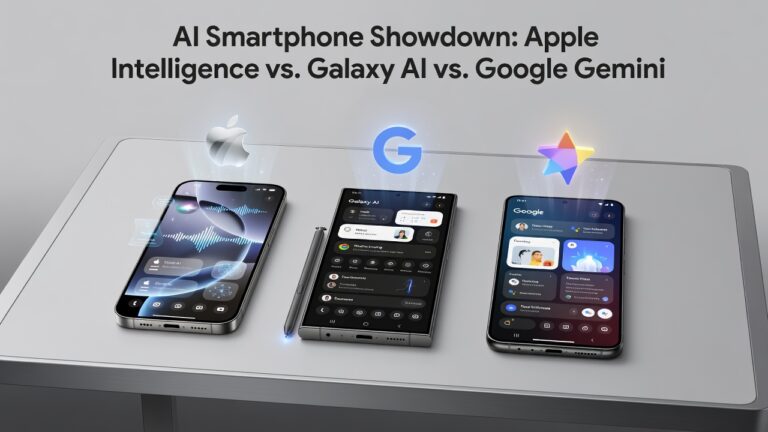
Choosing between Apple Intelligence vs Galaxy AI vs Google Gemini isn’t just about picking the “smartest” AI assistant—it’s about finding the one that actually fits how you work, create, and communicate every day. If you’ve been watching tech news, you’ve seen every company racing to add AI features to their smartphones. But here’s the truth: not all…
The iPhone 17 Pro vs iPhone 16 Pro comparison is one of the most important buying decisions for anyone looking for a premium but not oversized iPhone. Both phones are compact flagship devices with excellent performance, strong cameras, smooth displays, long-term iOS support, Apple Intelligence features, and premium build quality. However, the iPhone 17 Pro…
The iPhone 17 Pro Max vs iPhone 16 Pro Max comparison is one of the biggest decisions for buyers looking at Apple’s premium flagship phones. Both devices are powerful, expensive, beautifully built, and designed for people who want a top-level iPhone experience. But the iPhone 17 Pro Max is not just a small refresh. Advertisements…
Your phone knows everything about you. Your bank balance, your passwords, your private messages, your location—it’s all sitting in your pocket. So when I get asked which devices are the best phones for mobile banking security and online privacy, I take the question seriously, because the wrong choice can cost you real money and genuine peace…